

H&S software
H&S software — report, respond, analyze
Incidents, inspections, corrective actions and H&S statistics in one app. The H&S specialist, HSE manager and external inspector work on the same data – in the field, without paper and without delays.
Works offline Inspection report in minutes ISO 45001-compliant process

H&S inspectioncompliant · non-compliant · n/a
Report in 6 minutesinstead of 2.5 h – Doraco
Trusted by construction industry leaders in 8 countries – from general contractors to property developers and H&S teams













































Problems
What do H&S departments struggle with?
An H&S specialist should be on site, not buried in paperwork. In practice it is often the other way round.
Reports instead of prevention
“After every inspection I spend hours on the report”
Notes, phone photos and a report in Word. The report gets written in the office, and the time for site walks and training shrinks.
Hazards with no register
“Near misses get lost in conversations”
Without simple reporting from a phone, most hazards never make it into the register – and prevention depends on them.
Recommendations with no follow-up
“I don’t know if the inspection recommendation was carried out”
Findings get scattered across email and phone calls. It is hard to check who has to fix what and by when – and whether they did.
Data
Statistics that should set off alarm bells
Most incidents can be prevented – provided hazards are reported and inspection recommendations are carried out.
accidents at work on Polish construction sites in 2023
Source: Statistics Poland (GUS), Accidents at Work in 2023of all fatal accidents were in construction
Source: Statistics Poland (GUS), Accidents at Work in 2023of accidents result from incorrect worker behavior
Source: Statistics Poland (GUS), Accidents at Work in 2023inspected sites have H&S irregularities
Source: National Labour Inspectorate (PIP)Benefits
Paperless inspections, effortless reports
Digital tools shorten inspections, the report creates itself and all data is at hand – less stress at every audit.
Shorter inspections
Ready-made checklists and mobile forms cut inspections from hours to minutes.
Instant report
The report is generated automatically – no retyping notes back at the office.
Less paperwork
All data in the app. No printing, scanning or archiving binders.
Faster corrective actions
Non-conformities go straight to the people responsible – with a due date and a photo.
Inspection history at hand
Every inspection and incident with date, author and photos. No more hunting for reports.
Calmer before an audit
Complete H&S documentation ready for an ISO 45001 auditor, PIP or the investor.
How it works
From report to closure in four steps
The same process for a construction site, a production plant and a consulting firm – on phone, tablet and in the browser.
Step one
Report an incident
You report an incident, hazard or observation from your phone: photo, description, category and location on the floor plan.
Step two
Analyze the causes
Cause, circumstances, effect and responsible party – fields that meet ISO 45001 requirements.
Step three
Assign actions
The corrective action goes to the responsible person with a due date and an approval step by the H&S inspector.
Step four
Report and analyze
PDF inspection report and incident statistics for a site or the whole company – without Excel.
Features
Everything an H&S specialist needs
Inspections, incidents, corrective actions and analytics in one flow – instead of paper reports and spreadsheets.
H&S inspections
H&S inspection with a checklist on your phone
The inspector goes item by item and marks the result with one tap. Photos, a comment and a responsible person can be added to each item – even without signal.
- Ready-made and custom H&S templates
- Compliant / non-compliant / N/A
- Photos and location on the floor plan
- Works fully offline
1Site preparation and organization11 of 11N/A
1.1Site handover reportAnswered 2 of 2
Compliance *N/A
COMPLIANTNON-COMPLIANT
Person responsibleN/A
✓Anna Kwiatkowska✓Jan Nowak
Comment
Site handover report signed by both parties.
1.2Site fencing and signage2 of 2
Checklist1
01 Site fencing and signage
02 Roads and walkways
03 Slab edge protection
04 Scaffolding – acceptance reports
05 Personal protective equipment
06 Welfare facilities
07 Site distribution boards
08 Material storage
09 Excavations – wall support
10 Fire equipment and first aid kits
11 Workplace lighting
Corrective actions
From non-conformity to closure – with H&S inspector approval
A non-compliant checklist item becomes an H&S issue with the inspection number. It moves through the stages – handover to the site manager, approval by the H&S inspector and resolution – and every step has a date and an author.
- Approval stages
- Responsible person and due date
- Location on the floor plan
- Full history for audits
1.5Lighting of the building/site during worksAnswered 2 of 2
Compliance *N/A
COMPLIANTNON-COMPLIANT
Person responsibleN/A
Anna KwiatkowskaJan Nowak✓Paweł Kowalski
Comment
Insufficient lighting of walkways at entrance B. Add temporary light fittings.
Attachments
Issues
HS2026/HS/BUDA/d583
From inspection2026/IN/HS/9e78
1Reported30.09.2026 04:06
2Passed to site manager
3H&S Inspector approval
4Resolved
Map location
Root cause analysis
Causes, responsible parties and hazard types
Every incident has a cause, circumstances, effect and responsible party. Charts show which hazards and which contractors recur most often – and where to start preventive action.
- ISO 45001-compliant fields
- Hazard types
- Most frequent offenders
- Penalty decision
Hazard type
Work at height | 9Missing PPE | 4Scaffolding | 2Machinery and equipment | 2Housekeeping | 2Electrical installations | 1Excavations | 1Hazardous substances | 1
Instal-Bud18
Okna-Pro12
Sucha-Zabudowa9
Dach-Rem5
H&S statistics
Safety indicators without Excel
Incidents by outcome – from unsafe conditions to accidents – compiled automatically for a site or the whole company. Export the chart for a meeting, a board report or an auditor.
- Events by outcome
- Filters: period, site, process
- SVG, PNG and CSV export
Process: H&SPeriod: 2026Site: Hall C
H&S outcome
SVGPNGCSV
See what an H&S inspection looks like in Hustro
We will show incident reporting, a checklist inspection and a report using an example from your site or plant.
Who it’s for
H&S app for your industry
The same system for a construction site, a plant and a consulting firm – with templates and fields tailored to your procedures.
01 · CONSTRUCTION
H&S on construction sites
Site managers, engineers and H&S inspectors report hazards and carry out site walks on many sites at once.
H&S site walksSubcontractorsISO 45001
02 · INDUSTRY
H&S in production plants
Incident register, workstation inspections and corrective actions in the plant – with one standard for all shifts.
PlantsWarehousesShipyards
03 · CONSULTING
External H&S firms
An inspector serving many clients carries out inspections using one template and sends the report right after the site walk.
Multiple clientsPDF reports
Your H&S procedures
Have your own checklist or incident form? We will move them into Hustro during deployment.
Talk to usComparison
H&S before and with Hustro
Paper and messaging apps let you record things, but they don’t let you manage safety.
| Feature | Paper and Excel | Messaging apps | Hustro |
|---|---|---|---|
| Incident reporting from a phone | |||
| Photos and location on the floor plan | |||
| One inspection template for everyone | |||
| Corrective actions with due dates | |||
| PDF report without retyping | |||
| Incident statistics and trends | |||
| Complete history for audits |
Customer stories
How H&S departments work with Hustro
General contractors and consulting firms that replaced paper reports with an app.

6,500 hsaved per year in the H&S department
Doraco: a digital H&S department without paper reports
A general contractor’s 25-person H&S department. An inspection report takes 6 minutes instead of 2.5 hours, and incidents go into the register straight from the site.
Read the story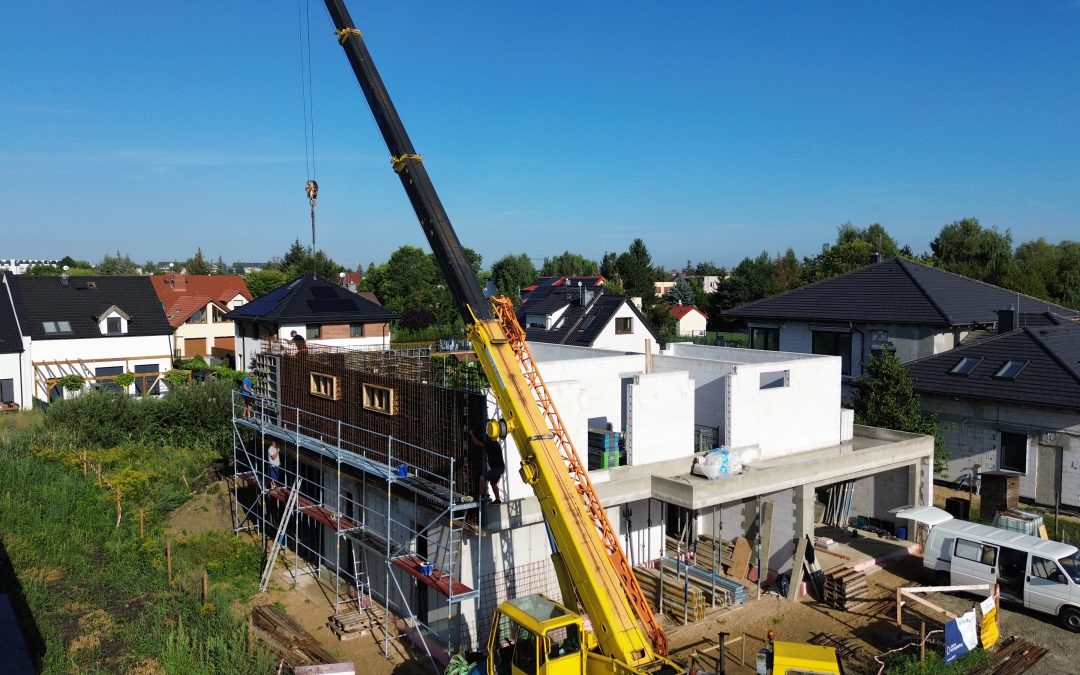 300%more hazards detected
Infrastructure · H&S
Gülermak Polska: hazards recorded immediately
Construction of Warsaw Metro Line II – faster hazard identification and less time on reporting.

H&S consulting · Ireland
The Coyle Group: H&S on wind and solar farms
The consulting firm responds to hazards immediately and prepares reports many times faster.
 7 daysfrom decision to work
General contractor · H&S
Doraco: Hustro deployed in H&S in a week
Inspection templates, team training and the first inspections on site within a week.
 PLN 278mproject value
Industrial construction
PTB Nickel and Josera: quality and H&S on shared data
Factory construction where the investor and the contractor managed quality and H&S issues in one system.
Testimonials
What H&S specialists say
Effective H&S communication is essential
“Hustro makes communication easier with an intuitive interface and a clear flow of information. This lets us respond when it matters most – immediately.”★★★★★
Significantly better management of safety procedures
“The simplicity and intuitive interface meant our teams could adopt the app easily. Since the rollout we have seen a significant improvement in managing safety procedures and compliance across all our sites.”★★★★★
Faster hazard detection and less time spent on reporting
“The recording and communication process has to be efficient, and the Hustro app makes that possible. I spend far less time on reporting, and many documents can be prepared automatically.”
Related modules
H&S is part of a bigger process
The same projects, floor plans and contractors – which is why H&S data connects with quality, tasks and analytics.
Inspections and handovers
H&S, quality and environmental checklists with a PDF report right after the site walk.
Inspections moduleConstruction site analytics
H&S indicators alongside quality and environment – in one dashboard for the whole management team.
Analytics moduleDefects and non-conformities
Site issues assigned to a contractor, with a due date and full communication history.
Issues moduleBlog
H&S articles
Safety culture, H&S processes and the use of AI – practical guides for H&S departments.



What is Hustro H&S software?
It is an app for H&S specialists, HSE managers and external inspectors. It lets you report incidents and hazards, carry out inspections with checklists, assign corrective actions, generate PDF reports and analyze safety data – from a phone, tablet and browser, online and offline.
What H&S features does Hustro offer?
H&S inspections and audits with configurable checklists, an incident and hazard register with photos, cause and effect analysis, corrective actions with a responsible person and due date, inspection-ready PDF reports, and safety statistics with data export.
Does Hustro support ISO 45001 compliance?
Yes. Hustro documents incidents with their causes, circumstances and effects, runs internal audits, tracks corrective actions through to closure and keeps a full change history. When the auditor arrives, the documentation is complete and easy to search.
Does the H&S app work offline?
Yes. Hustro works offline on iOS and Android. You can save issues, photos and checklists without signal – in a basement, a hall or on a slab. Data syncs automatically once the connection is back.
How long does it take to deploy Hustro in an H&S department?
You can carry out your first inspections the same day. Full deployment with templates tailored to your procedures and team training usually takes about a week – Doraco deployed Hustro on its sites in a week.
Which industries is Hustro H&S suitable for?
Construction, industry, energy, shipyards and external H&S consulting firms. Hustro is used both by one-person inspectors and by companies with hundreds of users on many projects at once.
Does the H&S inspector have to be on site to use Hustro?
No. Issue and corrective action statuses are visible remotely – the inspector can assign tasks, check progress and generate reports from anywhere. On site, a phone is all you need.
How much does Hustro H&S software cost?
A per-user license costs €28 per month with annual billing (€34 with monthly billing) and includes all modules. For large sites with many subcontractors, a per-project license is available. See the Pricing page for details.
Test Hustro on your project
Our consultants will help you plan the rollout and train your team. We’ll show you how developers work with Hustro.
Book a demo
Our team will contact you within 24 h

Tomasz Jones
Digitization Specialist